
The list in brief
1. Best Overall
2. Best OLED
3. Best Premium
4. Best Budget
5. Best for Consoles
6. Best for Gaming and TV
7. Shopping Tips
As mainstream graphics cards become more powerful, it's not surprising that PC gamers are increasingly interested in 4K monitors. A panel packing 8.3 million pixels (3840 x 2160) makes your favorite games look sharp and realistic. And we can't forget that the added resolution also comes in handy for productivity tasks. However, that 4K resolution requires a graphics card capable of delivering high enough frame rates to make games playable.
However, that image quality can often come at a steep price. Anyone looking for a 4K monitor knows they're not cheap. Yes, 4K is about high-res gaming (and other media), but you'll still need solid gaming specs, like a 120 Hz-plus refresh rate, low response time, and your choice of Adaptive-Sync (Nvidia G-Sync or AMD FreeSync, depending on your system's graphics card). And you can't forget the cost of the powerful graphics card you'll need to game properly in 4K. See our Best Gaming Monitors page for lower-resolution recommendations if you're not ready to fully embrace 4K.
Our top overall pick is the Asus ROG Swift PG27UCDM, a 27-inch monitor capable of 240 Hz at 4K resolution. However, it's not the only standout 4K monitor available today; let's look at the other contenders for the enviable crown.
The Quick List

Best 4K Gaming Monitor
Asus has a winner on its hands with the ROG Swift PG32UCDM3. It combines great looks with excellent performance and video processing. Even better, the QD-OLED panel results in image quality that IPS and VA panels just can’t match, along with a mainstream 32-inch panel size.

Best 4K OLED Gaming Monitor
The Dell S3225QC carries a price tag of $699, which makes it a great value offering. Not only do you get rich and accurate colors, but it also features an excellent 25-watt speaker system and premium build quality.

Best Premium 4K Gaming Monitor
The Asus ROG Swift OLED PG32UCDP is another dual-mode gaming monitor on our list, although this one is decidedly more premium. This OLED panel can operate at 240Hz at 4K or 480Hz at 1080p, making it one of the best-performing 4K options for gamers.
Show More ⬇

Best Budget 4K Gaming Monitor
The Asus ROG Strix XG27UCS has a street price of well under $500 and delivers solid performance, featuring a 160 Hz refresh rate, low response times, and accurate color out of the box.

Best 4K Gaming Monitor for Consoles
The Alienware AW3225QF has a 240Hz refresh rate, 4K resolution, Dolby Vision support, and a 32-inch QD-OLED panel. The monitor bathes you in inky blacks and brilliant colors, which is par for the course for OLED panels, and features a large color gamut.

Best Monitor for Gaming and TV
Samsung’s M9 M90SF offers an all-in-one solution that brings a 32-inch 4K QD-OLED panel with a 165 Hz refresh rate for gamers, and a full suite of streaming apps for people who want to kick back on the couch and veg out on TV shows and movies.
Best 4K Gaming Monitors You Can Buy Today
Why you can trust 3DTested Our expert reviewers spend hours testing and comparing products and services so you can choose the best for you. Find out more about how we test.
Best 4K Gaming Monitor

The Asus ROG Swift PG32UCDM3 ticks all the right boxes out of the gate: it has a 32-inch 4K QD-OLED panel and a comfortably fast 240 Hz refresh rate. It supports both flavors of ActiveSync and ELMB and is even DisplayHDR 500-certified.
Sure, it’s fine to get the basics right, but Asus goes above and beyond with the ROG Swift PG32UCDM3. It supports DisplayPort 2.1a, giving you full compliance with the latest GeForce RTX 50 Series and Radeon RX graphics cards, and our testing showed it covers 107 percent of DCI-P3.
And although most people aren’t pawing at their gaming monitors, the ROG Swift PG32UCDM3 employs what Asus calls a BlackShield. Not only does the BlackShield offer additional scratch protection (perhaps you have a rogue cat), but it also does an even better job of dealing with ambient light and mitigating reflections. It also helps to make blacks really look black.

“While a 330 or 500 Hz OLED is cool, it won’t do much for gaming besides drop input lag by a few milliseconds,” wrote our monitors reviewer, Christian Eberle. “And the PG32UCDM3 managed 18ms in my test, making it one of the quickest 4K screens I’ve reviewed. And if you spring for one in hopes of upgrading your PC after the fact, it has ELMB for smooth operation at 120 Hz.”
The ROG Swift PG32UCDM3 doesn’t come cheap, with a street price of $1,449. However, it is loaded to the gills with features and has the performance to back up its price tag.
More: Asus ROG Swift PG32UCDM3 review
Best OLED 4K Gaming Monitor

When OLED monitors first hit the scene, pricing was exorbitant. However, over the years, pricing has become more reasonable, albeit not low enough to displace mainstream IPS and VA monitors. However, Dell is making a strong play for value in the 4K OLED gaming monitor market with the S3225QC. This 32-inch 4K monitor may not have the fastest response times or refresh rates, but it strikes a strong balance between image quality and color accuracy.
And better yet, the S3225QC carries an MSRP of $699, making it one of the cheaper 4K OLED monitor offerings out there for gamers. The 120 Hz refresh rate might seem quaint compared to some of the 160 Hz or 240 Hz offerings also on this list, but those monitors can cost an additional $200 to $500. Besides, many would love the higher density and rich color afforded by an OLED monitor, but don’t have a graphics card capable of sustained 120+ FPS at 4K resolution.
In its favor, the S3225QC brings full support for Nvidia G-Sync and AMD FreeSync technologies, supports HDR10 and Dolby Vision, and features exceptional color accuracy straight out of the box.

We also found the build quality and ergonomics of the S3225QC to be fantastic. We've always spoken highly of the quality that Dell imparts with its monitors, and the S3225QC is no exception. The 22-pound monitor has a beefy base that firmly supports the display without wobbling. The monitor also adjusts for tilt, swivel, and height without any play between positions.
Another standout feature of the S3225QC is its integrated speaker system. We also think of speakers on a gaming monitor as being an afterthought, but Dell includes five 5-watt speakers on the S3225QC affixed behind a fabric grill.
"The spatial audio feature is a real thing, and I was immediately struck by the expansive sound stage," wrote our Christian Eberle. "Though it works best with content mastered in Dolby Atmos, it had a positive impact on the stereo feed from games and YouTube videos. The bass was so present, it seemed a little overblown at first, but within a few minutes, I realized I was hearing the full spectrum of sound, which is a rarity from a computer monitor."
With its $699 price tag, the S3225QC is an excellent bargain on this list of 4K gaming monitors. If you can make do with the 120 Hz refresh rate, you’ll be more than happy with what this monitor offers.
More: Dell S3225QC 32-inch 4K QD-OLED Monitor Review
Best Premium 4K Gaming Monitor

The Asus ROG Swift OLED PG32UCDP is another dual-mode monitor on our list. However, whereas Alienware AW2725QF is smaller and more attractively priced, the PG32UCDP steps up to the larger and more popular 32-inch segment. More importantly, the PG32UCDP opts for an OLED panel, which pays dividends in overall responsiveness and color reproduction.
The PG32UCDP features a 1080p mode allowing the panel to refresh up to 480Hz. However, you can quickly switch to 4K mode, allowing refresh rates up to 240Hz. Of course, you also get AMD FreeSync and Nvidia G-Sync compatibility, and we witnessed consistently high frame rates without any motion blur.
As we wrote, the PG32UCDP has a premium aesthetic, which uses a combination of metal and plastic. It's a highly ergonomic design that also comes with the usual assortment of HDMI and DisplayPort connections. You even get USB hookups along with a KVM to support multiple PCs. And, of course, we can't forget the ROG logo which projects onto your desk for some added visual flair.

We found the response and total input lag to be class-competitive with other 240Hz monitors, while its 480Hz performance was unmatched. "History is made here with the PG32UCDP’s 480 Hz scores," we said in our review. "The draw time for a full white field is 2ms, and the total lag is 11ms. These are the fastest results I’ve ever recorded for any monitor over the past 12 years. Granted, the resolution is FHD, but the smoothness here is incredible."
The PG32UCDP knocks it out of the park on so many levels, but be prepared to pay for that luxury. It currently has a street price of around $1,200.
Read: Asus ROG Swift OLED PG32UCDP Monitor Review
Best 4K Gaming Monitor Value
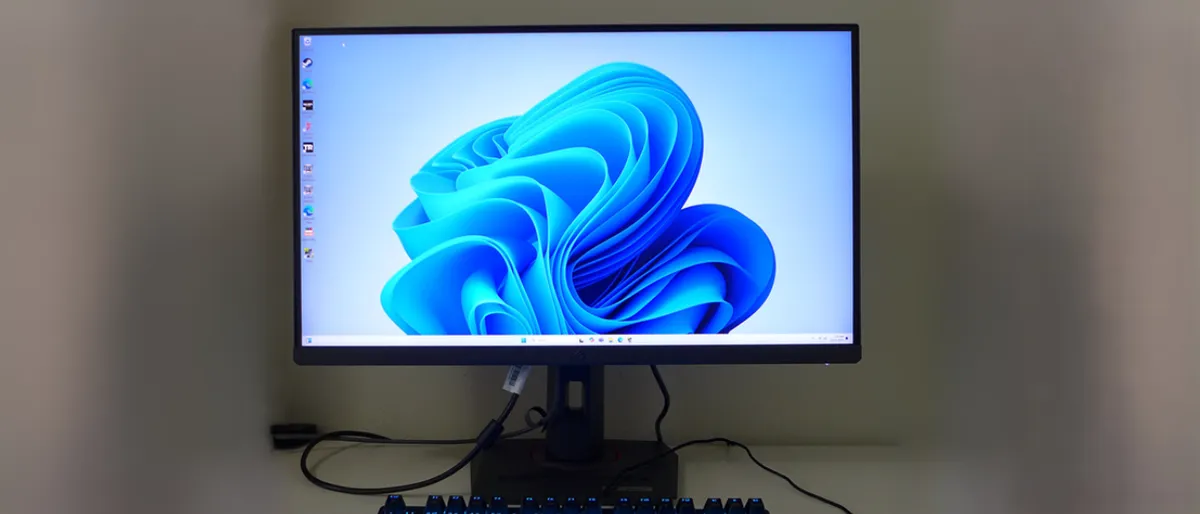
With the monitor industry quickly transitioning to OLED panels that offer ultra-fast response, excellent contrast, and vibrant colors, it’s often easy to lose sight of more value-conscious offerings that appeal to a larger audience.
Such is the case with the Asus ROG Strix XG27UCS, which features an IPS panel and a 4K resolution. While many 4K OLED monitors can cost upwards of $800, the XG27UCS carries a sub-$500 street price.
It's impossible to be all things to all people, but the XG27UCS comes close to hitting that mark. The XG27UCS is a 27-inch monitor, meaning that it should be small enough not to overpower smaller desks. It also features a 4K resolution, providing a dense 163 pixels per inch, compared to the 138 ppi found on 32-inch 4K panels.
With its lower price point, you can’t expect to bounce up against the 240 Hz refresh rate limit. Instead, the XG27UCS is limited to 160 Hz. But you do get excellent color accuracy without additional calibration and very sharp image quality, thanks to the high pixel density. Asus has also managed to incorporate a backlight strobe that can be enabled simultaneously with Adaptive-Sync (AMD FreeSync and Nvidia G-Sync are supported).
To reach the lower price point, you won’t find superfluous details like RGB lighting or outrageous design elements. On a more functional level, there are no speakers or USB ports, which may be something you would want in a gaming monitor.
The XG27UCS was among the best in its class in terms of response time, at 6 ms. Although 6 ms should be sufficient to quell most motion blur, the monitor also employs a comprehensive overdrive to not only tackle blur but also any stray artifacts.

Given a street price of around $470, the XG27UCS represents a remarkable bargain for gamers who don’t want to drop a few hundred bucks more on an OLED panel.
More: Asus ROG Strix XG27UCS Gaming Monitor Review
Best 4K Gaming Monitor for Consoles
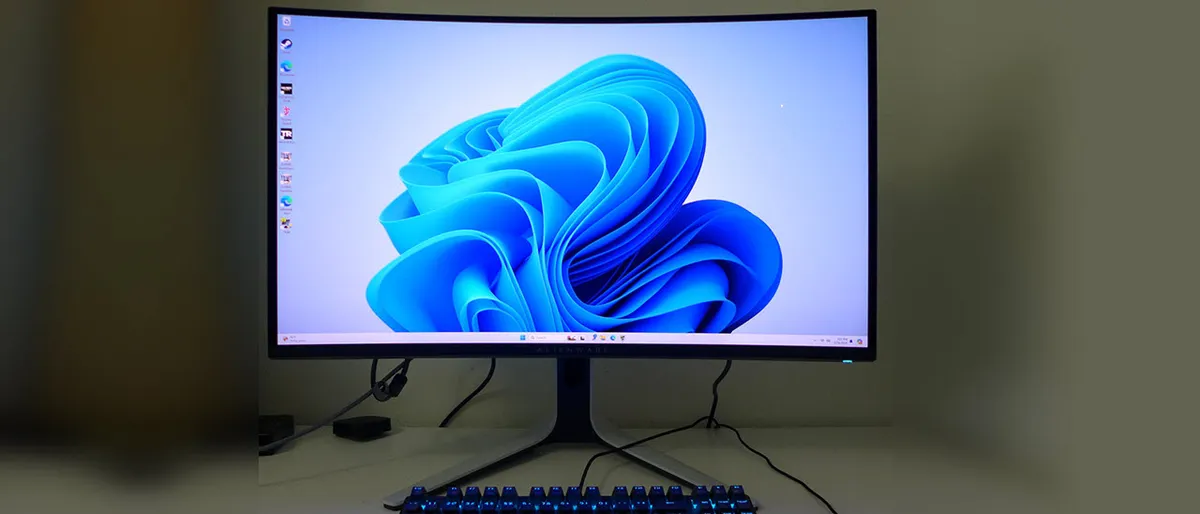
For hardcore console gamers who want to have the best display performance available, there are plenty of options available. However, one that really stands out from the crowd is the Alienware AW3225QF, which is a 32-inch monitor with a 4K resolution, 240 Hz refresh rate, and a brilliant QD-OLED panel. If you own an Xbox Series S/X or PlayStation 5 console, it doesn’t get much better than this.
The monitor supports Dolby Vision on the Xbox Series X and ranks near the top of its class in most categories. Throw in excellent motion resolution and low input lag, and the Alienware AW3225QF is a boon not only to console gamers but also to those of us who prefer PC gaming.

Although you can't make full use of the 240 Hz refresh on today's Xbox and PlayStation consoles, PC gamers are in luck. "The AW3225QF has Display Stream Compression for its DisplayPort 1.4 input and in my tests, I could sustain 240fps in 4K at Doom Eternal’s max detail setting," wrote our Christian Eberle. "The difference in motion resolution between this and 120fps is visibly significant. The higher frame rate also affords lower input lag. The AW3225QF manages that feat as well."
$1,200 is not a small sum by any means for a gaming mointor, but the Alienware AW3225QF is well worth the price of entry.
Read: Alienware AW3225QF Review
Best Monitor for Gaming and TV

Samsung has a long history of delivering dual-purpose monitors that are equally adept at TV duties as they are at gaming. The latest entry in that lineage is the M9 M90SF Smart Monitor.
The M9 M90SF definitely has the gaming credentials, as this is a 32-inch monitor with a 4K resolution (3840 x 2160), a brilliant QD-OLED panel, and a 165 Hz refresh rate. You'll also find support for AMD FreeSync and Nvidia G-Sync up to that maximum refresh rate. In addition, the M9 M90SF has a typical brightness of 250 nits, but can boost to 450 nits with HDR content. You'll find a variety of video inputs, including one DisplayPort 1.4, one HDMI 2.1, and one USB-C.
In our testing, the M9 M90SF showed mid-pack performance with a 6 ms response time (full black to white), and an input lag of 26 ms. This is a strong performance for a 165 Hz monitor, and was only bested by 4K monitors with a 240 Hz refresh rate.

But there's more: the M9 M90SF also functions as a full-featured streaming TV platform, including Samsung TV Plus (with free, ad-supported content) and your favorite streaming apps (Netflix, Hulu, Apple TV, YouTube, YouTube TV, Prime Video, etc.). There are also two 5-watt speakers onboard for blasting audio from your media content.
"Though the M9 has just two internal speakers, they play a wider range of frequencies than typical monitor speakers and with a wider sound stage. There isn’t a ton of bass, but there is clarity and balance," wrote our Christian Eberle. "The dialogue in TV shows like Severance was easy to understand and put just forward enough in the mix that I had no need to adjust the volume more than once."
The M9 M90SF is loaded with features and is a perfect all-in-one tool for gamers who want it all in a single monitor. However, you'll pay for that luxury with an MSRP of $1,599.
More: M9 M90SF 4K Gaming Monitor Review
Other 4K Gaming Monitors We've Tested
Not every gaming monitor we tested made our best list, but here are a few we've recently tested that are still worth a second look.
*️⃣ Acer Predator XB273K V5
The Acer Predator XB273K V5 measures 27 inches across and offers dual-mode functionality: it can run 4K resolution at 160 Hz or 1080p resolution at 320 Hz. This gives gamers the ability to pick and choose when they want to run at a crisper resolution or crank the frame rate in less demanding games. With a price tag under $400, this IPS monitor offers tremendous value for discerning gamers.
Read: Acer Predator XB273K V5 Review
*️⃣ Asus ROG Strix XG32UCWMG
The Asus ROG Strix XG32UCWMG puts its 32-inch 4K QD-OLED panel front and center, and it's a real gem. You get a glossy screen coating that helps to produce even better colors and clarity (at the expense of more reflections) and offers accurate color from the factory. The monitor can also reach 480 Hz, provided you're willing to drop to 1080p.
Read: Asus ROG Strix XG32UCWMG Review
*️⃣ BenQ DesignVue PD3226G
BenQ is a well-established brand in the monitor space, consistently delivering exceptional value. That's definitely the case with the DesignVue PD3226G, a 32-inch 4K gaming monitor featuring a 144 Hz refresh rate and an IPS panel. Not only does it score top marks with its video processing and low input lag, but we also measured a maximum brightness of 458 nits in SDR mode.
Read: BenQ DesignVue PD3226G Review
Quick Shopping Tips
When seeking the best 4K gaming monitor for you, consider the following:
- 4K gaming requires a high-end graphics card. If you're not using a GeForce RTX 4090 or Radeon RX 7900 XTX, you'll want at least a GeForce RTX 3080 or Radeon RX 6900 XT to game at high-quality settings. Visit our Graphics Card Buying Guide for help.
- G-Sync or FreeSync? A monitor's G-Sync feature will only work with PCs using an Nvidia graphics card, and FreeSync will only run with PCs carrying an AMD card. You can technically run G-Sync on a monitor that's only FreeSync-certified, but performance may vary. We've seen negligible differences in mainstream gaming capabilities for fighting screen tearing between the two. Our Nvidia G-Sync vs. AMD FreeSync article offers an in-depth performance comparison.
- 4K and HDR go hand-in-hand. 4K displays often support HDR content for extra bright and colorful images. But for Adaptive-Sync optimized for HDR media, you'll want a G-Sync Ultimate or FreeSync Premium Pro (formerly FreeSync 2 HDR) monitor. For a noticeable upgrade from an SDR monitor, opt for at least 600 nits brightness. You can learn more from our glossary page on HDR and our buying guide for picking the best HDR monitor.
For more guidance picking a monitor of any resolution--gaming or otherwise--check out our PC Monitor Buying Guide and list of the Best Computer Monitors.
MORE: Best Gaming Monitors
MORE: How We Test Monitors
MORE: All Monitor Content
