Battle of the Titans: Creative Labs Annihilator vs. Leadtek WinFast GeForce 256
Features
By
Silvino Orozco
published
Add us as a preferred source on Google
Get the 3DTested Newsletter
Get 3DTested's best news and in-depth reviews, straight to your inbox.
By submitting your information you agree to the Terms & Conditions and Privacy Policy and are aged 16 or over.
You are now subscribed
Your newsletter sign-up was successful
An account already exists for this email address, please log in.
Subscribe to our newsletter
The Windows98-Driver Of The Creative Labs Annihilator, Continued
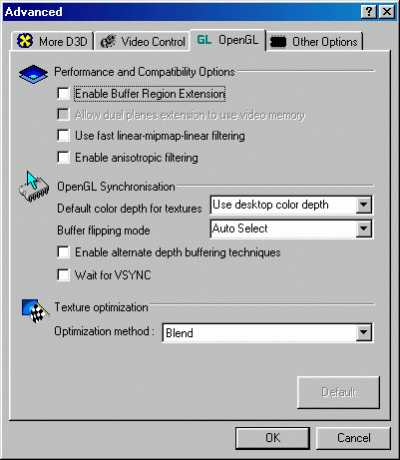
This panel let's you adjust all the OpenGL settings, which might come in handy to make those picky games or applications look better or run faster.
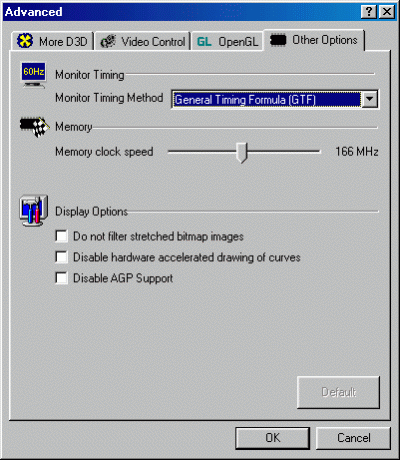
Here we have a few miscellaneous advanced options that you might need. The memory speed adjustment is here too but the real overclock utility has the core adjustment too.
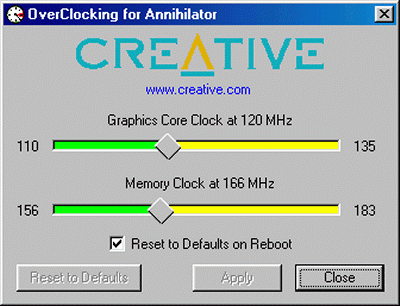
Creative Labs supply a dedicated overclocking tool for the 'Annihilator', which is certainly of interest to most of you.
Article continues belowStay On the Cutting Edge: Get the 3DTested Newsletter
Get 3DTested's best news and in-depth reviews, straight to your inbox.
Current page: The Windows98-Driver Of The Creative Labs Annihilator, Continued
Prev Page The Windows98-Driver Of The Creative Labs Annihilator, Continued Next Page The Windows98-driver Of The Leadtek WinFast GeForce 256
No comments yet
Comment from the forums


