A vintage technology enthusiast has turned a miniature Mac-a-like desk toy alarm clock into a real Mac software-running computer. Colin from This Does Not Compute (TDNC) says he was drawn to the handsome Maclock on Amazon ($30). However, its pleasingly faithful looks made him wish that it could do more than basic alarm clock duties.
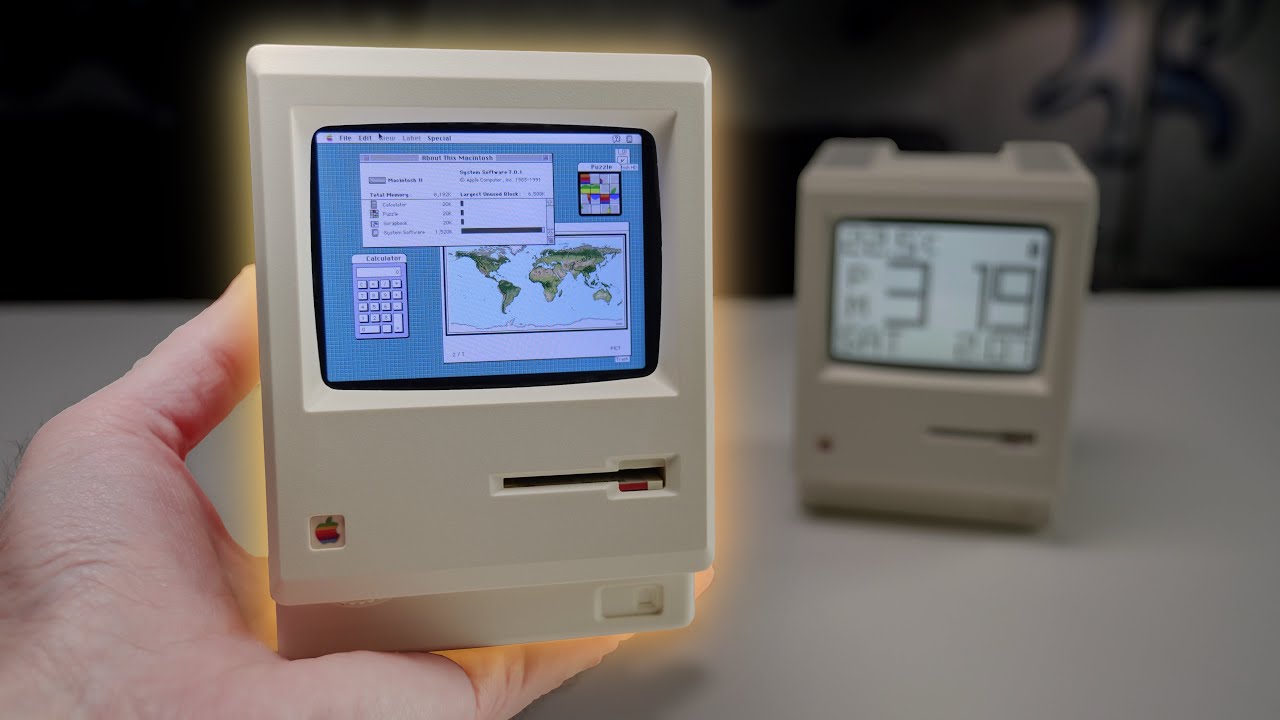
With the inspiration to go ahead, all the components were bought, and the ‘WonderMac’ project began. Cracking the Maclock case was the hardest part of the project, says the TechTuber. A bit of patience with the use of a steel spudger paid off, though.
The original Maclock screen couldn’t be re-purposed, but TDNC found a 2.8-inch Waveshare SVGA resolution touchscreen part that interfaces with the Raspberry Pi Zero W, and fitted very nicely into the alarm clock chassis.
Before going further with physically fitting the added Pi and new screen hardware, a few software steps were taken. This part of the project started with installing the latest Pi OS on an SD card and adding Waveshare 2.4-inch touchscreen drivers.
TDNC first thought about using a modern Mac emulator called Snow, but after a series of issues, decided on the older, lightweight Mini vMac. This wasn’t a cinch to get running, either, but after Colin recompiled the latest beta from source, it worked fine on the Pi Zero. Lastly, on the software side, Mini vMac was set to autorun from boot for a nice, slick, hands-off startup experience.
The TechTuber wanted to reuse the existing Maclock USB-C input to power the system. This wasn’t very straightforward, as it had charging circuitry that needed to be removed, so that the Pi got 5V direct from the back-facing port on the chassis. These power leads were then soldered to two pads on the Pi Zero W’s PCB.

Next, a 3D printed bracket would be designed and output to secure the Pi and screen into the Maclock chassis in the correct position. Sadly, in this implementation, the brightness dial on the lower lip of the tiny Mac’s screen bezel becomes a mere cosmetic addition. Similarly, two clock control buttons that remain also don’t do anything anymore. Some other small tweaks, trims, and snips were required to fit the new brains and screen into the Maclock chassis neatly and securely.
It all worked, with a few tiny niggles. Overall, the TechTuber says he is pleased with the result, but admits it isn’t the cheapest project, costing about $100 for all the products used. Graciously, TDNC has shared project essentials like the 3D-printable screen bracket and a WonderMac GitHub repository covering the software side. These are great resources if you want to replicate or build upon this super cute classic mini Mac project.

Follow 3DTested on Google News, or add us as a preferred source, to get our latest news, analysis, & reviews in your feeds.