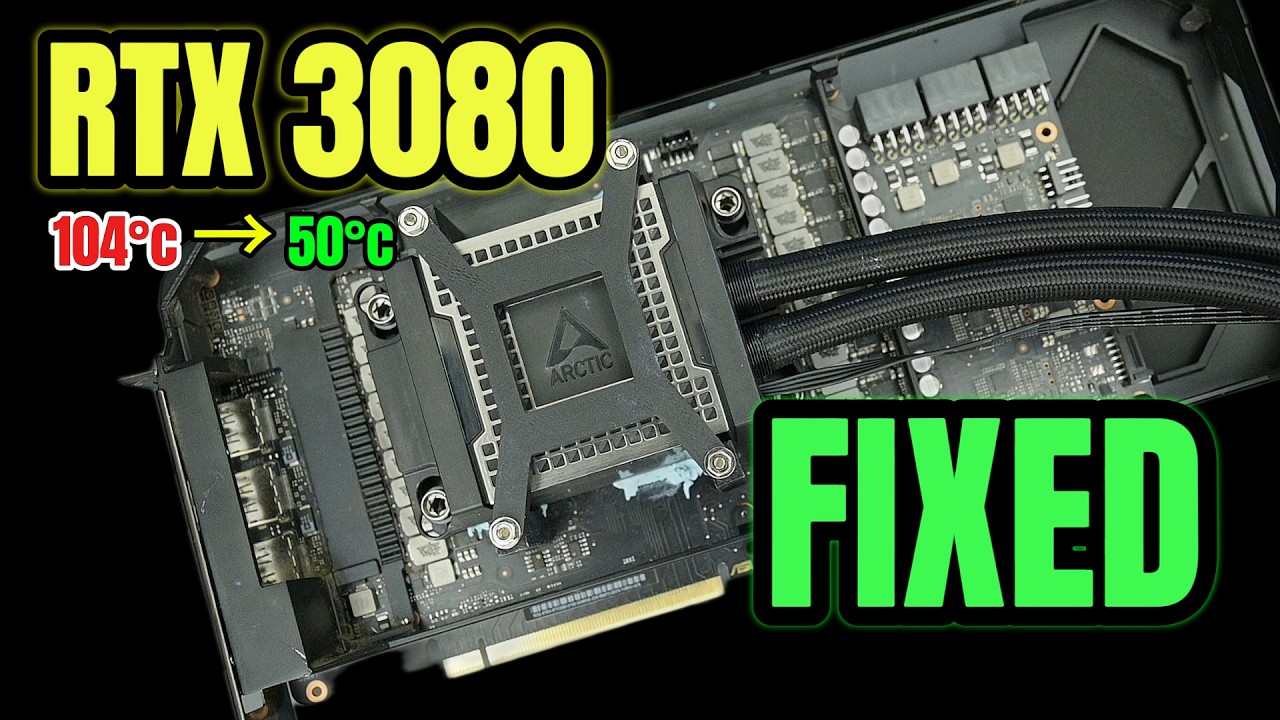
We love a beautifully unhinged cooling mod, and Australian overclocker and YouTuber Trashbench is arguably the champion of the genre. We've previously covered his exploits, like leveraging a camping chiller to aggressively overclock an RTX 5050, but in this latest video, Trashbench decided to take an Arctic WS360 360mm server AIO cooler and strap it directly to a GeForce RTX 3080. The result? A massive, aesthetically pleasing mod that halves the card's VRAM temperatures and offers impressive efficiency gains.
See, the Arctic WS360 is built for massive workstation CPUs. That means its copper cold plate is more than twice the size of a standard consumer liquid cooler. Surprisingly, this massive footprint makes it almost ideal for a modern GPU, as the cold plate is large enough to completely cover both the GPU core and the surrounding GDDR6X memory modules, slotting almost perfectly between the rows of VRM components. Once installed, it looks remarkably stylish, almost as if it were engineered specifically for the 3080.

Actually getting it to fit, however, was another story. Because the WS360's cold plate is so large, it completely obscures the standard GPU mounting holes. Trashbench shows off the project with his signature brand of Aussie nonchalance, but beneath the laid-back presentation, it's clear this took serious effort, requiring a dozen or more trial-and-error iterations to design and 3D-print a custom, functional mounting system.
Article continues belowOnce the server cooler was successfully seated, the thermal results in 3DMark Time Spy were excellent, if not exactly shocking for a cooler of this pedigree. You can see the screenshot below, but for the sake of those with screen readers, his GPU core temperature dropped by 26°C, his GPU core hotspot temperature dropped by 39°C, and the VRAM temperature plummeted by 54°C, dropping from a scorching 104°C down to a frosty 50°C.

Because modern GPUs are highly sensitive to thermal limits, this massive drop in temperatures yielded immediate performance dividends. Without even applying a manual overclock, the liquid-cooled RTX 3080 matched the performance of the air-cooled card pushed to its absolute maximum OC. Even better is that the water-cooled card consumed less power at stock settings than the air-cooled version, while simultaneously delivering superior performance.
When Trashbench applied a manual overclock to the liquid-chilled card, he was able to squeeze out an additional +195 MHz on the core clocks. That translates to an average gaming performance uplift of around 9% over the stock air-cooled baseline. Not world-shattering perhaps, but NVIDIA doesn't give GPU tuners a lot of headroom for overclocking these days, so this is about as good as it gets without BIOS or shunt mods.
Now, as always with extreme mods, we don't recommend trying to replicate this at home. The Arctic WS360 is an expensive piece of server hardware; Trashbench noted his was supplied by Arctic. Dialing in the 3D-printed mounting brackets took a massive amount of patience, too. Still, it serves as a brilliant demonstration of just how much performance and efficiency headroom modern GPUs are hiding behind their thermal limits.

Follow 3DTested on Google News, or add us as a preferred source, to get our latest news, analysis, & reviews in your feeds.