Intel XeSS 3 MFG mod triples Arc A380 triples performance in Cyberpunk 2077 — supercharged 6GB GPU pumps out 140 FPS at 1080p on low preset
Did Intel just let you download more FPS?
Get 3DTested's best news and in-depth reviews, straight to your inbox.
You are now subscribed
Your newsletter sign-up was successful
Intel just enabled XeSS 3 Multi-Frame Generation (MFG) across multiple Intel Arc discrete GPUs and Intel Core Ultra integrated GPUs with Xe2 or Xe3 cores. As a result, YouTuber Alva Jonathan decided to test how far Intel’s frame gen tech can go by testing it on an ASRock Arc A380 low-profile 6GB GPU.
While thArc A380 isn’t exactly Intel’s weakest GPU, it’s still an entry-level card and our review of the Intel Arc A380 showed that its gaming performance ranges from acceptable to abysmal. However, the latest driver drop, which enabled XeSS 3 on even the lowest-performing Intel GPUs, appears to have allowed budget gamers to gain extra frames (though they’re “fake”).
Jonathan’s test bench included the ASRock Arc A380 LP 6GB GPU, an AMD Ryzen 5 7500F CPU, an ASRock B650M-HDV/M.2 motherboard, 32GB (2x16GB) Adata XPG DDR5-6000 CL30 memory, a 1TB Adata XPG Mars 980 Pro NVMe SSD, and an FSP Vita GM 750W PSU.
There’s one interesting part in the video, though. Alva said, “As a brief note here, Intel has not provided official drivers and software to multi-frame gen on the A-series or Arc B-series, so we have to a do a little modification of the driver or rather the library.” The creator copied two files — igxell.dll and igxess_fg.dll — from the Graphics_101.8362 folder to the Graphics_101.8452 folder, then installed the driver from the latter to reveal the XeSS Frame Generation Override dropdown menu in the Intel driver control panel.
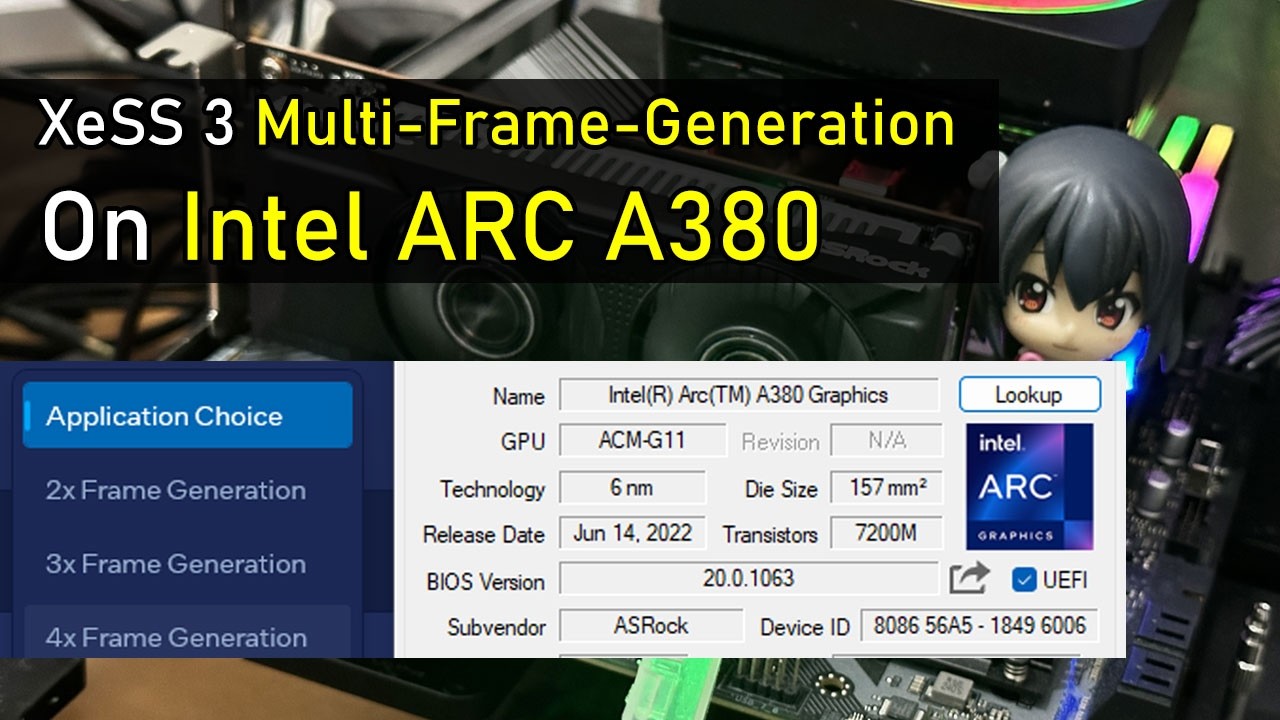
They ran the test in Cyberpunk 2077 at 1080p with the graphics set to the low preset, with Intel XeSS Super Resolution 2.0 enabled at Ultra Quality. They initially played with Frame Generation turned off, and the game achieved a base frame rate of 55-60 FPS. They then enabled Frame Generation using Intel XeSS (set to 4x in the driver control panel) and achieved an average of 135-140 FPS. However, note that x4 multi-frame generation (MFG) is quite taxing on hardware, reducing the base frame rate to 33-35 FPS, and there’s also noticeable “mouse lag.”
The creator said that for multi-frame generation x4, the recommended frame rate is between 180 and 240 FPS, as a base frame rate below 45 FPS often does not deliver a good experience. To fix this, they retested Intel XeSS Frame Generation, this time set to 3x. With this configuration, they achieved approximately 120 FPS in-game, giving them a base frame rate of around 40 FPS. While this is still below the ideal 45 FPS, the game showed improved input latency. Unfortunately, unlike Nvidia’s DLSS MFG, which can measure latency using the NV Reflex API, Intel lacks a comparable way to test it, so the creator could only judge it by feel.
This is great news for budget gamers: even though they still have to stick to low graphics settings, XeSS Frame Generation would give them a much smoother experience, even on basic hardware. This is also useful for those limited to integrated graphics, especially gaming handhelds like the MSI Claw family. The only downside is that the game should support Intel XeSS 2 MFG if you want to try this technology and see higher frame rates, which, hopefully, more developers would implement, especially with the arrival of Intel’s next-generation Panther Lake CPUs.

Get 3DTested's best news and in-depth reviews, straight to your inbox.
Follow 3DTested on Google News, or add us as a preferred source, to get our latest news, analysis, & reviews in your feeds.

-
hotaru251 Frame gen (and mfg) are made for higher tier gpu. Using it on a low/entry tier gpu is bad as you are going to have issues that put you into sub 60 fps & moment you go anything feels worse than native regardless of what it says you are getting.Reply -
Bikki Do you understand what "performance" means, or you use it intentionally as title click bait? @Jowi MoralesReply -
Gururu Every company should be implementing their suites with such backward compatibility. NVidia has done a good job I think DLSS4.5 works down to 30XX generation. AMD has been abyssmal. Intel is on the right track. This is even more impressive on some older handhelds which will be able to hang on to some AAA titles a little longer.Reply
If I have a 5 year old card and MFG lets me play into 2030, I wouldn't mind latency and some blurring. -
thestryker Reply
Like how FG was locked to the 40 series because it needed optical flow and prior generations don't have it, but then they reworked FG with the 50 series and don't use optical flow but it's still not available for anything else?Gururu said:nVidia has done a good job I think DLSS4.5 works down to 30XX generation.
They're all about artifical segmentation just like AMD is currently and both have plenty of opportunity to change their tune. For now only Intel is providing universal compatibility and I hope it stays. The integrated without XMX engines might end up getting lost in the shuffle at some point though unfortunately.
MFG isn't going to help with this at all and it's just going to feel worse than if you were playing with upscaling alone in anything that requires responsiveness. I will say I am hoping for some independent testing on Intel's MFG because it seems like theirs is a bit better latency wise than nvidia's. That could just be the class of hardware being tested though so seeing something like a B580 vs 5050 would be a close comparison.Gururu said:If I have a 5 year old card and MFG lets me play into 2030, I wouldn't mind latency and some blurring.
At this point I think every vendor has missed the boat on FG/MFG. It's a great piece of technology, but it really needs to be able to be tied to a frame rate target for visual frame pacing. AMD and Intel haven't talked about this at all, and nvidia is getting closer with dynamic MFG. From what I understand nvidia's just switches to closest mode but doesn't sync to frame rate. -
Gururu Reply
I think a lot of the reviews have rightfully pointed out some of the deficiencies in gameplay. There is definitely bias against it particularly if you had to sell a kidney for the hardware. But based on the videos I have seen of it in action, I don't think I would ever NOT use it for a card I spent $250 on if it looks like that for real.thestryker said:
MFG isn't going to help with this at all and it's just going to feel worse than if you were playing with upscaling alone in anything that requires responsiveness. I will say I am hoping for some independent testing on Intel's MFG because it seems like theirs is a bit better latency wise than nvidia's. That could just be the class of hardware being tested though so seeing something like a B580 vs 5050 would be a close comparison.
-
thestryker Reply
Of course it looks good, because in video you're not actually feeling the input latency.Gururu said:But based on the videos I have seen of it in action, I don't think I would ever NOT use it for a card I spent $250 on if it looks like that for real.
I think this is the most recent video Tim from HUB has done on it and pretty thoroughly shows pros/cons: B_fGlVqKs1k View: https://www.youtube.com/watch?v=B_fGlVqKs1k
He's the only reviewer I've seen/read who has mentioned that the way games handle input can impact the usability of frame generation where some games might be more forgiving of the added latency and others less. This just makes it even more of a case by case basis technology unless you have a high baseline frame rate.