Intrepid PC builder fights RAM crunch by building DDR3 system that runs Cyberpunk 2077 at 60 FPS — Core i7-4790K, RTX 2060 Super, and 32GB of DDR3 would cost just $300

RandomGamingInHD's 4790K build
(Image credit: RandomGaminginHD)

With DDR5 pricing increasing seemingly daily, some gamers are flocking to older platforms that support older memory types to escape the DRAM shortage, even going as far back as rebuilding old DDR3-supported platforms. RandomGaminginHD, aware of this problem, published a video benchmarking Intel's now ancient Core i7-4790K paired with 32GB of DDR3 memory, to see how a system like this would perform in 2026. Despite its age, he found the old Haswell quad-core was capable of playing several modern AAA games today at 60 FPS.

The full system included an i7-4790K overclocked to 4.6GHz, 32GB of DDR3 running at 1866 MHz, an Asus Z97 motherboard, and an RTX 2060 Super. The YouTuber claimed that he bought 32GB of DDR3 RAM for just $40 worth, which is almost a third of the price compared to what a single 4800MT/s 8GB DDR5 stick costs today.
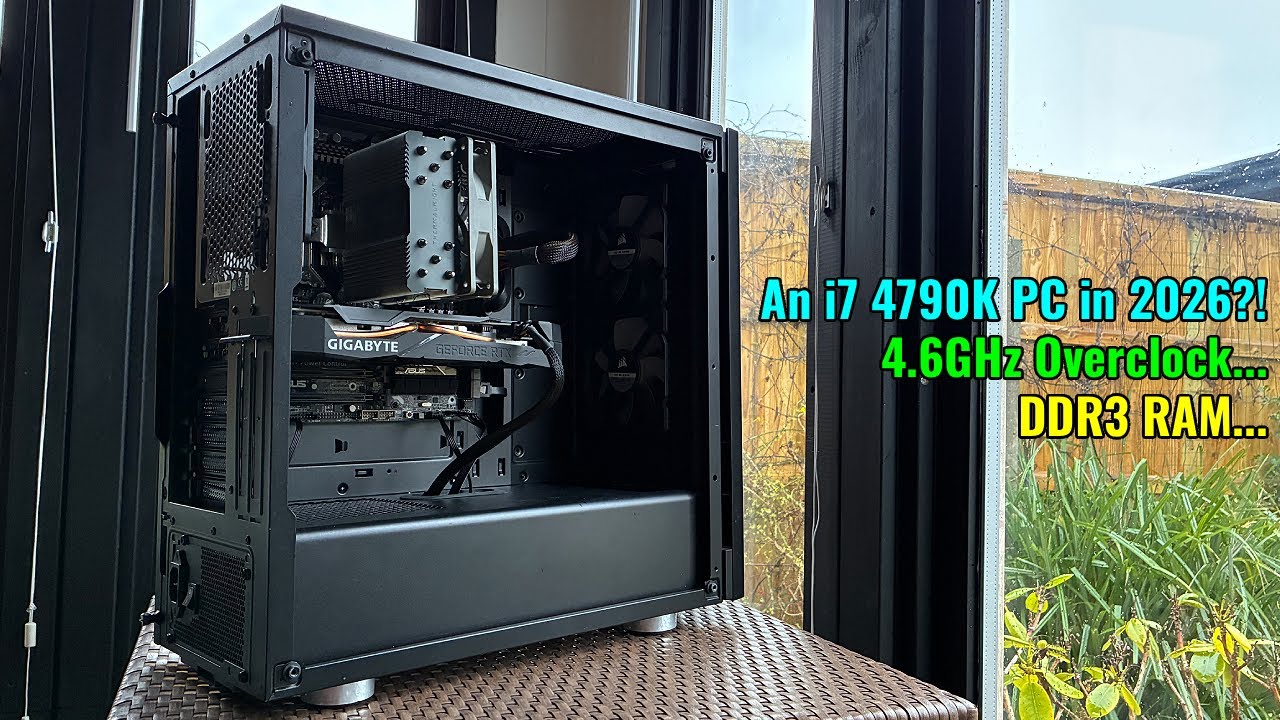
I Built an i7 4790K Gaming PC in 2026. It Actually Surprised Me. - YouTube I Built an i7 4790K Gaming PC in 2026. It Actually Surprised Me. - YouTube
Watch On

The YouTuber ran the i7-4790K powered setup in eight modern titles: Baldur's Gate 3, Battlefield 6, Counter-Strike 2, Cyberpunk 2077, Fortnite, GTA 5 Enhanced, Kingdom Come Deliverance 2, and Red Dead Redemption 2. Baldur's Gate 3 ran at 57.9 FPS average, Battlefield 6 - 69.7 FPS average, Counter-Strike 2 - 117.9 FPS average, Cyberpunk 2077 - 59.8 FPS average, Fortnite - 115.2 FPS average, GTA 5 Enhanced - 69.6 FPS average, Kingdom Come Deliverance 2 - 72.2 FPS average, Red Dead Redemption 2 - 72.3 FPS average. All games were benchmarked at medium settings and 1080p resolution, except for a couple of the lighter games (such as GTA V Enhanced), which were run at higher settings. DLAA was also engaged for most of the games to take advantage of the extra GPU headroom available since the 4790K was bottlenecking the 2060 Super.

Swipe to scroll horizontally

Games

FPS (avg)

FPS (1% lows)

Graphics Settings, Resolution

Baldur's Gate 3

57.9

31.7

High, 1080p, DLAA

Battlefield 6

69.7

46.2

Medium, 1080p DLAA

Counter-Strike 2

117.9

50.4

High, 1080p, 4x MSAA

Cyberpunk 2077

59.8

35.4

High preset, high textures, medium crowds, 1080p

Fortnite

115.2

41

Medium, 1080p, TAA

GTA V Enhanced

69.6

50

Very High RT, 1080p, DLAA

Kingdom Come Deliverance 2

72.2

43.4

High, 1080p, SMAA 2TX

Red Dead Redemption 2

72.3

51.7

Ultra Textures, all else medium, TAA medium, 1080p

RandomGamingInHD's benchmarks prove that hardware from 12 years ago can still provide a playable gaming experience, even on modern AAA games, as long as you have an adequate GPU installed. Granted, the 1% lows leave much to be desired, but lowering graphics settings further would help alleviate this problem (at least partially).

The best part is that a system like this is relatively affordable given today's memory pricing. If you want to build a system with these specs, you can find used i7-14790Ks for as little as $60-$80, and a lower-trim RTX 2060 Super 8GB for as little as $150 on eBay. Used DDR3 memory is also ridiculously cheap on eBay, with a set of four 8GB sticks (32GB total) costing around $70 - $120. Counting a Z97 motherboard, cheap SSD, case, and PSU, you likely could build a full-blown 4790K/2060 Super gaming PC from scratch for less than $600 using used parts. For perspective, that's less money than what a 64GB DDR5 dual-channel kit costs today.

A system like this might be the only way many PC gamers on a strict budget can get into the PC gaming world if they don't already own a decent system. DDR5 prices aren't expected to go down until 2028, and even then, prices aren't guaranteed to drop quickly.

Aaron Klotz
Contributing Writer
  • mitch074
    Wow - I guess that my Core i5 4670K@4GHz that can run Black Myth:Wukong in 1440p with Medium details and only a bit of FSR on a Radeon RX480 [email protected] would be worth an article too, especially since I managed to enable resizable BAR on it?
    Reply
  • Notton
    Yeah, I was about to ask...
    How would you enable resizable BAR on a Z97? A modded BIOS? If so, which mobos have that?
    Is it running Win10? Linux? Z97 doesn't have TPM2.0 required by Win11, so it's going to require some workarounds either way.

    Z97 is only capable of PCIe 3.0, further limiting modern GPUs.
    Z97 has a mix of mSATA, SATA Express, and NGFF (slow NVMe) slots, not all of which exist concurrently on the mobo, so your safest bet is getting a SATA SSD...
    Reply
  • rluker5
    5775c is faster, but pricier and generally more finicky for stability and performance. 4770k is cheaper, but lots have bad TIM on the die and delidding helps but many don't want to go through the trouble. And the best DDR3: 2400c10 is expensive. None of these options will get you smooth 60 fps in Dogtown with any GPU though. But they are still good for a lot of games at 60 fps, probably most.
    Reply
  • rluker5
    Notton said:
    Yeah, I was about to ask...
    How would you enable resizable BAR on a Z97? A modded BIOS? If so, which mobos have that?
    Is it running Win10? Linux? Z97 doesn't have TPM2.0 required by Win11, so it's going to require some workarounds either way.

    Z97 is only capable of PCIe 3.0, further limiting modern GPUs.
    Z97 has a mix of mSATA, SATA Express, and NGFF (slow NVMe) slots, not all of which exist concurrently on the mobo, so your safest bet is getting a SATA SSD...
    I was also curious so I checked and here is a lead, but whether it will pan out is unknown, maybe when I'm bored I'll look more into it: https://www.techspot.com/news/101768-rebaruefi-utility-can-enable-resizable-bar-older-gaming.htmlAnd pcie to m.2 adapters can get you faster SSD performance (and most still will not boot from NVME on many Z97 boards but will show up as available storage), but you will either settle for chipset pcie2 or split the 16 gen 3 if you don't have one of the PLX motherboards. Safest to go with SATA and you don't lose noticeable performance in most scenarios.
    Reply
  • bit_user
    Since Intel backed out of AVX-512 and even TSX, Haswell at least has all the main ISA extensions.

    Notton said:
    Z97 is only capable of PCIe 3.0, further limiting modern GPUs.
    Nope. Not at all!
    Https://www.techpowerup.com/review/nvidia-geforce-rtx-5060-ti-pci-express-x8-scaling/
    Either in average or minimum FPS, there's virtually no difference between running an x8 card like the RTX 5060 Ti at PCIe 4.0 or 5.0. And I probably needn't remind you that PCIe 3.0 x16 = PCIe 4.0 x8.

    Furthermore, the RTX 2060 Super only has a PCIe 3.0 x16 interface. So, that machine's PCIe performance is as good as anything it can use. No matter what, you'd want to try and make sure you get a card with a x16 interface. As long as you do that, the PCIe rev should basically be a non-issue.
    Reply
  • Djekna80
    rluker5 said:
    5775c is faster, but pricier and generally more finicky for stability and performance. 4770k is cheaper, but lots have bad TIM on the die and delidding helps but many don't want to go through the trouble. And the best DDR3: 2400c10 is expensive. None of these options will get you smooth 60 fps in Dogtown with any GPU though. But they are still good for a lot of games at 60 fps, probably most.
    Well depend of the game because of L4 cash, I would say it is about 10-15% slower at that speed when you overclock both of them, but is is efficient by 50%, my mildly overclock [email protected] at 65W have same result in CPU-id as 6700K, and L4 memory can get you close to 4790K in some game but not often, I also have 32Gb2400MHZ DDR3 ram and RX 6600M graphic I ran every game, also in EU, it was mandatory 1 year extension on WIN 10 still getting update for free, don`t use fake frame or raytracing, but other than that like a good wine
    Reply
  • abufrejoval
    Since most of my work has always involved running either VMs or containers, going big on RAM wasn't much of a choice: I needed the space!

    My earlier memories (bio not RAM) have faded, but I distinctly remember that one of my constant issues was trying to preserve my investment into the RAM sticks I had already bought, even when newer CPUs and boards became necessary.

    So I either tried to invest into boards that would allow reusing older DRAM or I'd buy boards that supported newer RAM generations already, with the hope that I would then be able to upgrade the CPU and mainboard, but not have to re-purchase RAM.

    So there were Sandy and Ivy Bridge CPUs that would do DDR2 and DDR3 and there were Sky and Kaby Lakes that would do DDR3 and DDR4, I believe, while I had systems that were typically filled to the hilt, 8GB on DDR2, 16GB on DDR3, 32GB on DDR4 for your normal dual channel quad socket desktop CPUs.

    The next hurdle was RAM speeds, e.g. DDR3 and DDR4 would both do 2400 but many DDR3 boards actually couldn't handle that. So one issue in trying to maintain RAM value was to pick sticks that could run at 2400, yet also support lower settings on boards that couldn't match that: if the premium for higher ranked DIMMs was low enough, I'd always go for the potentially faster DIMMs in case I'd then reused it somewhere else.

    Long story, somewhat shorter, many of my systems wound up with top-notch combinations of CPUs, boards and RAM, but tended to trail the leading edge to when prices became less insane: my Kaby Lakes were DDR3-2400 instead of DDR4-2400, because I was reusing DIMMs that had started on Sandy or Ivy Bridge (or Kaveri), which couldn't even handle DDR3-2400 at all or only in overclock.

    And even when they left my home-lab, they went to the family for gaming, even might return for an upgrade a few years later, which allowed me to evaluate just how well they held up.

    Normal productivity work, surfing, LibreOffice etc. Runs just fine on these systems, even a 128 core EPYC isn't very likely to improve that.

    But even in gaming these older quad core Ivy to Kaby Lake systems have held up remarkebly well, another favorite of mine is a hefty 22-core Broadwell Xeon in combination with a now to-be-extinct RTX 5070ti. It doesn't always take a V-cache Zen 5 to get acceptable gaming performance, it just very much depends on each and every title.

    I'd say you can't go wrong choosing a V-cache variant over a ordinary brethren when the price gap is around 10%, just like I'd never go for the lower core-count variants if it's just a few pizzas difference.

    But that doesn't mean that without V-cache or below 8 threads life as a gamer becomes impossible: you can have fun gaming with a looser from Tom's hardware!

    With plenty of reserves in stock, I'm quite glad my existing reserves might find a bit more appreciation, as I make my extended family happy with upgrades from surprisingly old stuff: just buying only the newest stuff is actually a bit boring, creative reuse much more fun and a better fit to human ingenuity when facing crisis.
    Reply
  • 80251
    mitch074 said:
    Wow - I guess that my Core i5 4670K@4GHz that can run Black Myth:Wukong in 1440p with Medium details and only a bit of FSR on a Radeon RX480 [email protected] would be worth an article too, especially since I managed to enable resizable BAR on it?
    That is amazing. I had thought the manufacturer of your motherboard had to enable that option in the BIOS and I've read not every motherboard manufacturer bothered to do so for even z390 motherboards.
    Reply
  • rluker5
    Djekna80 said:
    Well depend of the game because of L4 cash, I would say it is about 10-15% slower at that speed when you overclock both of them, but is is efficient by 50%, my mildly overclock [email protected] at 65W have same result in CPU-id as 6700K, and L4 memory can get you close to 4790K in some game but not often, I also have 32Gb2400MHZ DDR3 ram and RX 6600M graphic I ran every game, also in EU, it was mandatory 1 year extension on WIN 10 still getting update for free, don`t use fake frame or raytracing, but other than that like a good wine
    I was messing with this just yesterday:
    https://i.ibb.co/LXWHbxc4/Screenshot-2026-01-17-134601.pngfrom: https://www.3dmark.com/compare/spy/61348884/spy/61346320/spy/61345052/spy/60325276#
    I recently picked up a 9070XT for $599. A few days back I remembered setting a record on Timespy for the/my 4770k when hanging out with my daughter who was much younger at the time, so I looked and I thought a 9070XT could be good enough to get that old chip back there. Was the first PC I built. Brought it up with my daughter and she was all for it. So I dug up some old stuff, installed Windows on some bits and pieces and ran some Timespys on old stuff that was packed away.

    As you can see from the graphics scores that my 4770k at 4.7GHz gives lower graphics scores than a 4980hq at 4.2GHz (4980HQ is a 4770k with Crystalwell edram, like a 5800X3D is to a 5800X) which gets lower graphics scores than a 5775c at 4.2GHz.
    I used the settings of +10% power, -125mv, 2600 tight timings on the 9070XT for all 3 of those and used 2400c10 DDR3 for all 3 as well.

    This is on a very controlled, supposedly completely GPU limited benchmark. The difference grows in games that well use large cache and shrinks in games that don't. And also grows when compared with slow ram and shrinks when the comparison uses fast ram with the CPUs. The 4980hq is just a 4770k with boosted memory performance and the 5775c adds most of a generational uplift in architecture improvements on top of that. But the 5775c can't clock high because of the sloppy 1st use of 14nm and my 4980hq was having temp issues and I found out after I pulled it that it's liquid metal under the heatspreader had dried up in the years since I last checked.

    I also put in my 13900kf run from when my 9070XT was brand new. That was run at less of a GPU overclock and you can see the difference that much faster CPU makes in the graphics scores.

    My 5775c was able to run the canned bench of CP2077 with a minimum of just under 60 fps, ultra settings, raytracing off, but driving fast through Dogtown with high crowds is significantly tougher on the CPU. My 4770k can't do that much. But it is certainly pretty good for what it sells for nowadays.

    How convenient that you provided me with an opportunity to find some use for the time I wasted putzing around with old pc stuff yesterday.
    That being said, the 4790k is the best choice for most people because the 5775c is finicky and needs some stuff done for it to work well and the 4770k is known for bad TIM under the IHS.

    Edit: Also: https://web.archive.org/web/20201103150103/https://www.anandtech.com/show/16195/a-broadwell-retrospective-review-in-2020-is-edram-still-worth-it this comparison shows the 4790k as significantly slower, but the ram used is 1600 so kind of a worst case scenario for Devils canyon.
    Reply
  • m3city
    If only one limits graphic to fullhd on native fullhd display, then its not neccessary to go for heavy pc. Anything over fullhd is meaningless for human eye looking at it from 1m max, especially at fast paced scenes.
    Reply