Writing an operating system to a Raspberry Pi involves micro SD cards and a tool such as balenaEtcher. Around a year ago an official Raspberry Pi Imager tool was released, this tool offered a simple means to write an OS to a card and it came with a great choice of OS for retro gaming, 3D printing and general computing. In the latest update there is a hidden advanced menu offering more configuration options.
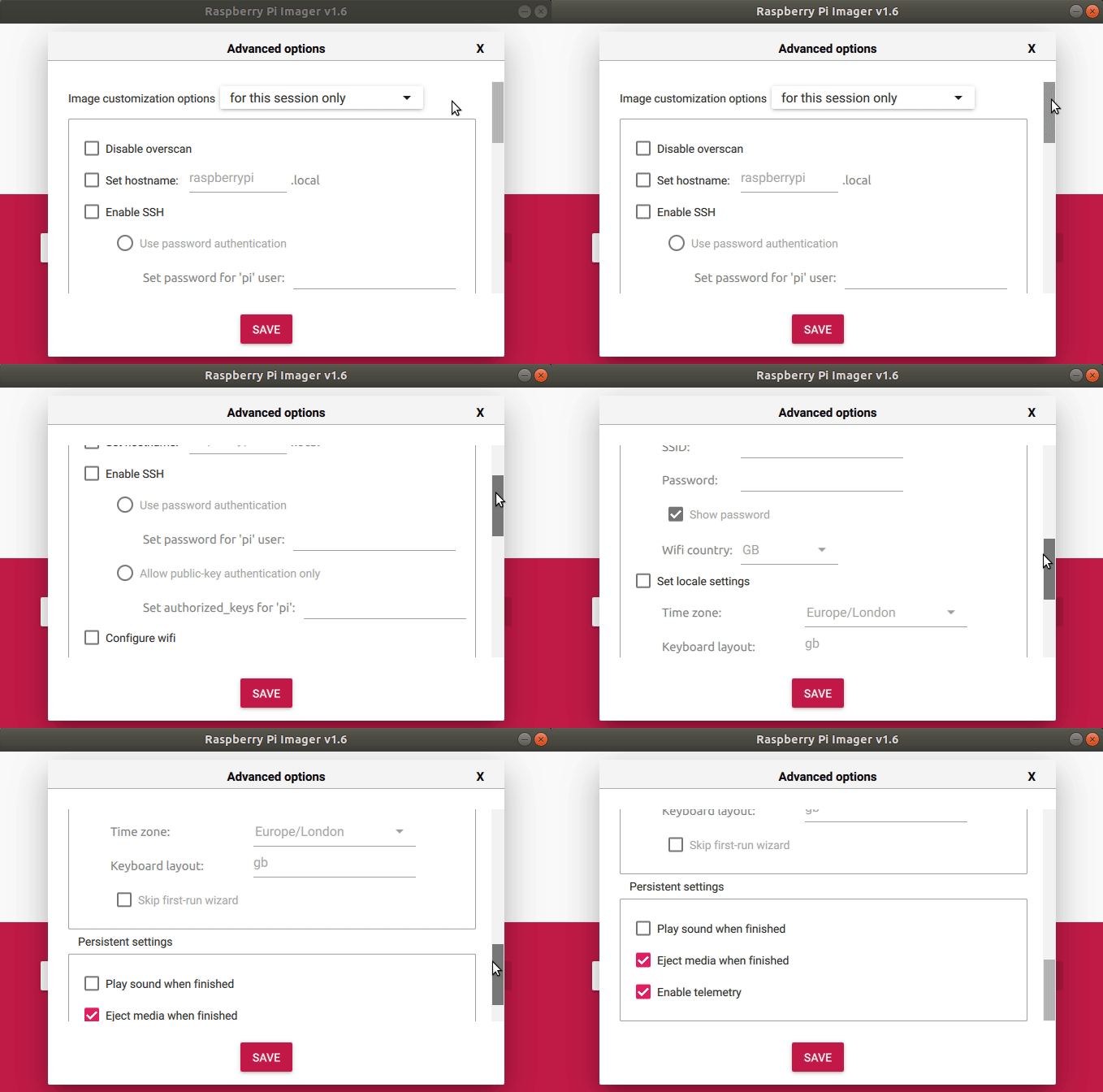
In the Advanced Options menu we can change
Article continues below- Overscan, to remove borders from our screen.
- Hostname, identify your Pi on a network.
- SSH on boot, useful for headless and remote projects.
- WiFi, setup your WiFi without editing a config file.
- Locale, set your language and location.
These changes can be made for a single session, for example writing a one off OS to an micro SD card, or we can set Raspberry Pi Imager to use these settings each time. For Raspberry Pi users these advanced features are a welcome addition to an already great application. For they an now quickly and easily set these settings and then write the OS to a micro SD card, rather than tweak config files which could be quite a task if working with multiple cards.
